
The Hyper-V snapshot feature allows you to capture the configuration and state of a virtual machine (VM) at any point in time, and return a VM to that state without noticeable interruption. When you take
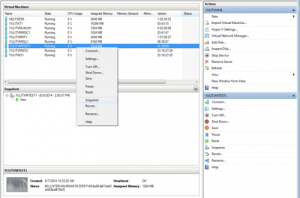 a snapshot of a running VM, Hyper-V briefly pauses the VM to create a new automatic virtual hard disk (AVHD) which is essentially a differencing disk, attaches it to the VM to store changes to the VM data, saves the processor state into a file (.bin), then resumes the VM. Hyper-V also makes a copy of the VM configuration file (.xml), and saves the contents of the VM memory into a file (.vsv). Snapshots can also be created when a VM is turned-off, in which case Hyper-V does not need to capture VM memory or processor state data
Virtual machine snapshots are file-based snapshots of the state, disk data, and configuration of a virtual machine at a specific point in time. You can take multiple snapshots of a virtual machine, even while it is running. You can then revert the virtual machine to any of the previous states by applying a snapshot to the virtual machine.
To take a snapshot, you can use either Hyper-V Manager or Virtual Machine Connection. All of the other tasks you can perform with snapshots, such as applying or deleting a snapshot, or viewing a list of all snapshots for a specific virtual machine, are available through Hyper-V Manager. You also can inspect or edit the .avhd files, as well as determine which snapshot an .avhd file is associated with.
 Services Informatiques