
The interface across the entire suite of applications has been reinvented, mostly for the better. First off, the Ribbon, which disappointed many users when it first appeared in Office 2007, remains part of the new Office. But before you start grumbling, consider that Microsoft has made it optional this time around. So now you can show or hide the exhaustive collections of tools across every tab, and decide how much or how little you want to use them.
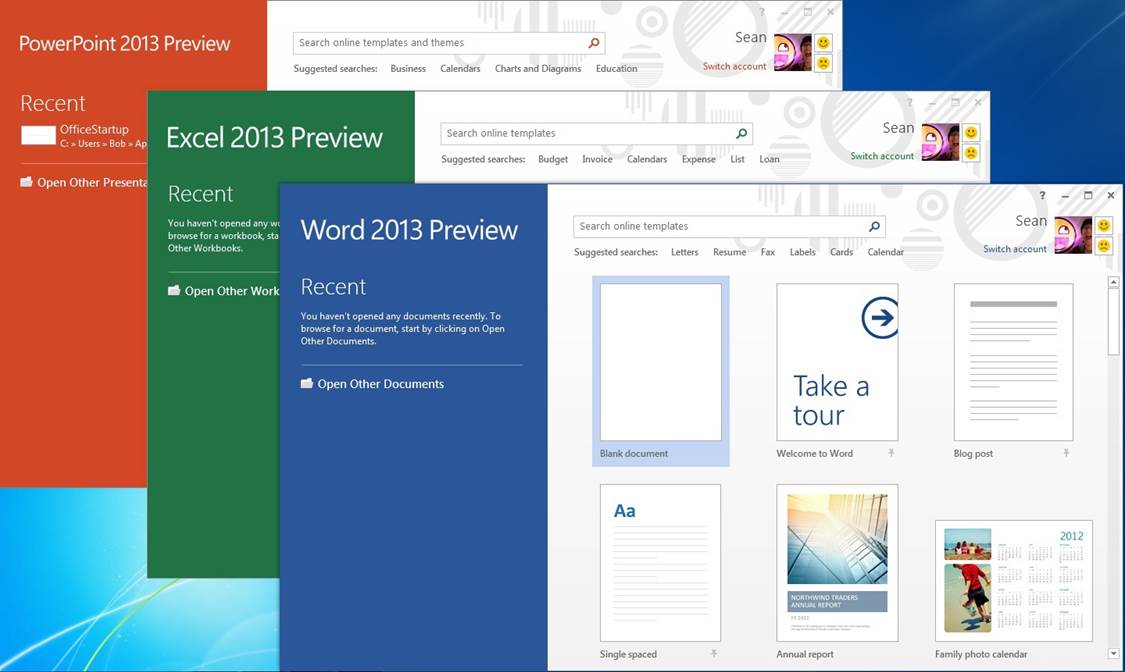
Aside from the Ribbon, the interface is similar but much simpler than it was in Office 2010 and earlier. Newly added start pages for Word, PowerPoint, and Excel help you get to recent documents attached to your account and new templates immediately upon launch. Flat buttons and plenty of white space make the interface look less crowded. Other interface tweaks are tablet-focused such as the radial menus in OneNote that show options (like sharing, search, and zoom tools) in a circle around the area you press. The general feel of the suite is more streamlined and more cloud-integrated, and the new start pages for the core apps will be especially useful for those looking at the same documents on several devices.
Though you can only use Office 365 with a subscription on five machines, another new feature called Office on Demand will come in handy whenever you’re away from your selected devices. This feature lets you download a full copy of the software you need (such as Word or Excel) on any PC running Windows 7 or later, and shows you your recent documents just as you’d see them at home. When you’re finished making changes or edits to a document, you can close the application and it is removed from the PC you’re working on.
 Services Informatiques